PDF is the de facto file type for presenting documents—including text formatting and images—in a way that is independent of application software, hardware, and operating systems. Aspose.PDF Cloud offers a range of operations that work seamlessly with your existing PDFs, enabling conversion between formats, extraction of document information, and manipulation of PDFs stored on any cloud storage you choose.
There are two main types of PDF documents – those created electronically with PDF creation software and those generated from a scanner or other imaging device. Creation software builds a PDF with an internal structure that defines characters, fonts, and positions, even though the raw data may be unreadable to humans. A scanned PDF, by contrast, is essentially a flat image of a page, so extracting information requires OCR technology to recognize each character optically.
Aspose.PDF Cloud includes a powerful built‑in OCR engine that can recognize and extract text tokens from PDF files. With this engine you can embed an OCR layer directly into a PDF, making the scanned document searchable and indexable.
Aspose.PDF Cloud OCR support
Aspose.PDF Cloud provides the below API for OCR support with PDF documents
The above resource accepts the following arguments
The language parameter supports recognition of the following language codes eng (English), ara (Arabic) , bel (Belarusian), ben (Bengali), bul (Bulgarian), ces (Czech), dan (Danish), deu (German), ell (Greek), fin (Finnish), fra (French), heb (Hebrew), hin (Hindi), ind (Indonesian), isl (Icelandic), ita (Italian), jpn (Japanese) , kor (Korean), nld (Dutch), nor (Norwegian), pol (Polish), por (Portuguese), ron (Romanian), rus (Russian), spa (Spanish), swe (Swedish), tha (Thai), tur (Turkish), ukr (Ukrainian), vie (Vietnamese), chi_sim (Chinese Simple), chi_tra
(Chinese Traditional) or their combination e.g. eng,rus etc.
Using cURL to add an OCR Layer for embedded images
For testing purposes, we are using a simple PDF with a single image on the first page.
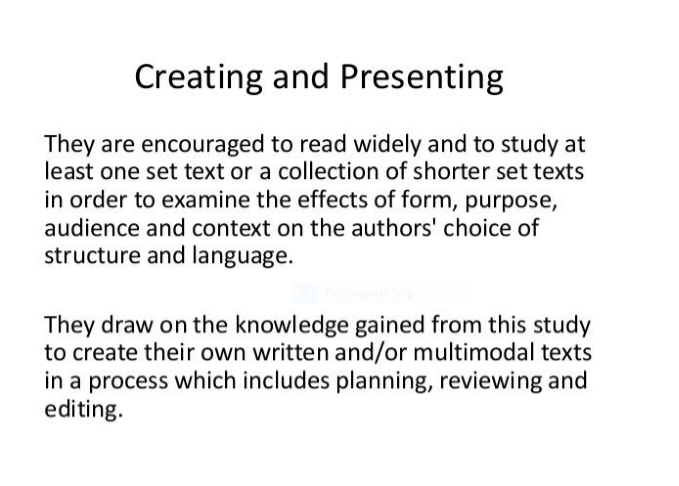
PDF containing text as an image
Read text from OCR Layer
Now that an OCR layer, we can read all text items from the PDF document. You can see the response contains tokens from our embedded image above. Please note this is a partial response.
Have any Question
Feel free to drop us a comment below sharing your thoughts about Aspose.PDF Cloud REST API. Or let’s know if you have any suggestions or if you need any particular features which you expect our REST API to have.
Try It Out
And if you’ve not already had a chance to try our REST API, simply start a free trial today. All you need is to sign up with the aspose.cloud. Once you’ve signed up, you’re ready to try the powerful file processing features offered by aspose.cloud.